Life Archive · Closed beta

One leap
at a time.

On the Yellow River there is a waterfall called the Dragon Gate. The old story says that a carp who makes it up the falls turns into a dragon. The old story says a carp who makes it up the Dragon Gate falls turns into a dragon.

Free to useNo adsWorks offline
Thousands of carp try. Most get swept back down.

Home

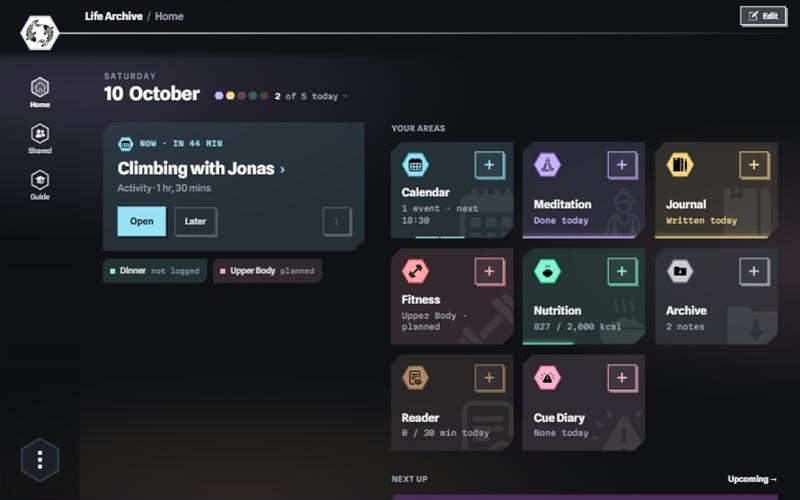
Eight areas in one app.

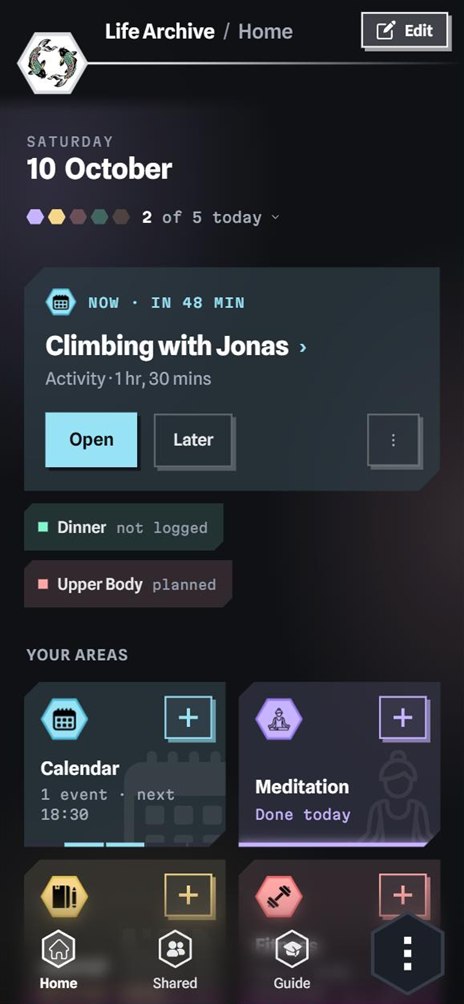
Home shows every area on a single screen, with how today is going in each. You can log from there too: every tile has its own +.

  • Nutrition
  • Fitness
  • Calendar
  • Journal
  • Meditation
  • Cue Diary
  • Reader
  • Archive

    They jump, fall back and jump again.

    The areas

    Everything you want to keep track of.

    Pick one to watch it in the app

    Bruised scales, tired fins. They keep going.

    Stats

    Watch your days turn into a picture.

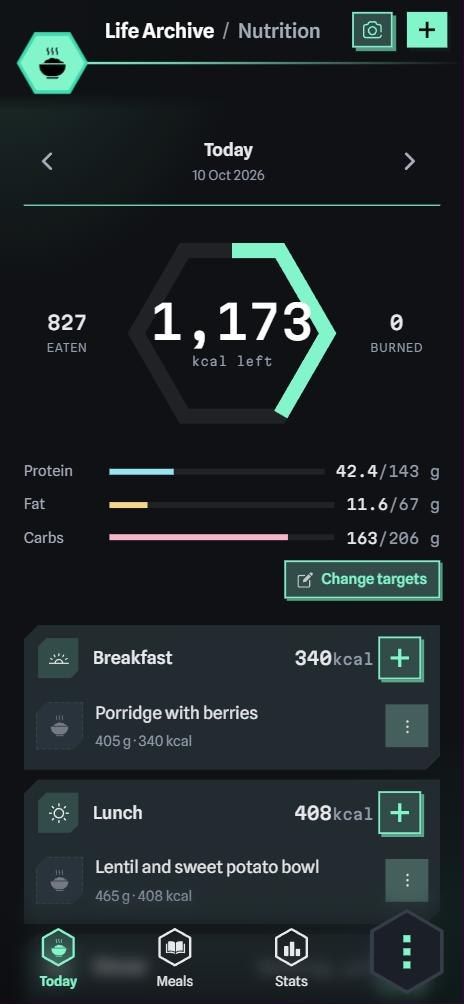
    Every area has a Stats tab, and the Calendar puts them side by side. Colour the year by an area or a goal. At the end, save it as a poster. The numbers are worked out on your phone.

      Then one of them clears the gate.

      Tutorial

      Karl shows you around.

      Karl is the koi from the app icon. In 103 short lessons he points at the real screen and waits for you to tap. Most lessons take a minute, and you can start one from the Guide whenever you like.

        And just like that, it is no longer just a fish.

        The whole picture

        A few taps a day. A year later, this.

        Every day you log something becomes a square, in the colour of its area. At the end of the year the app turns them into a poster.

        Every dragon started out as a carp that kept jumping.

        Start your leap.

        Free to useNo sign-up emailYour data stays on your device

        Eight areas

        One archive for your whole day.

        Each area is a full app of its own. They share one calendar, so a run, a meal and a journal entry from the same day turn up together.

        Personalisation

        Make it look like yours.

        This is the real Home screen of the app, with every setting it has. Change the look, take parts off the page, give an area a new colour. Home follows every tap.

        Look ⋯ › Home › Look

        On Home Hidden areas keep their data

          Colour of Any colour from a wheel in the app

          Privacy

          Your data stays with you.

          What you log is saved on your device and works offline. No sign-up email, no ads, no tracking. This website sets no cookies either, which your browser’s developer tools will confirm.

          1. On your deviceSaved in a database on your device. Works without a connection.
          2. Locked with your keyEncrypted before anything leaves the device. With sync
          3. On our serversOnly the locked version is stored. We cannot read it. With sync
          4. On your other devicesYour key opens your archive there. Nobody else’s key does. With sync
          5. Shared by youSend one meal or one workout as a file. Nothing else goes with it.
          6. Yours to takeExport the whole archive as one file whenever you like.

          Closed beta

          Come in early.

          A small group is testing sync and sharing right now. Everything you log stays on your device either way – an invite key only opens an account of your own.

          1. Try the demo

            The whole app with a demo account, right in your browser. Nothing needs a key, and nothing you try there leaves the tab.

            Open the demo
          2. Each key works once. Type it here, or simply open the link you got.

            The key goes straight to the app. This page never sends it anywhere.

          3. Ask for an invite

            A line about you is enough. We answer with a key – check back with your code, or leave an e-mail address.

            Ask for an invite

          Download

          Available on all your devices.

          The same app in your browser, on your phone and on your computer. Start in the browser or on Android today; the store versions are on their way.

          Browser

          Chrome, Edge, Safari and Firefox. Install it from the address bar for an icon and offline use.

          Phone & tablet

          A native app with widgets, reminders and the same archive as everywhere else.

          • iPhone & iPadApp StoreComing soon
          • AndroidAPK · updates itself Download

          Computer

          A desktop app with its own window, keyboard shortcuts and your files close at hand.

          • WindowsInstaller, signedComing soon
          • macOSApple silicon and IntelComing soon
          • LinuxAppImage · .deb · FlathubComing soon

          Official store badges appear here once the apps are listed. One account, the same archive on every device once sync arrives.

          Feedback

          Help shape Life Archive.

          Share an idea, report a problem or tell us anything else. Feedback is anonymous: no account, no cookies and no stored IP address.

          What kind of feedback

          Anonymous: no account, no cookies, no stored IP address. You get a code to check for our reply.

              In the film